

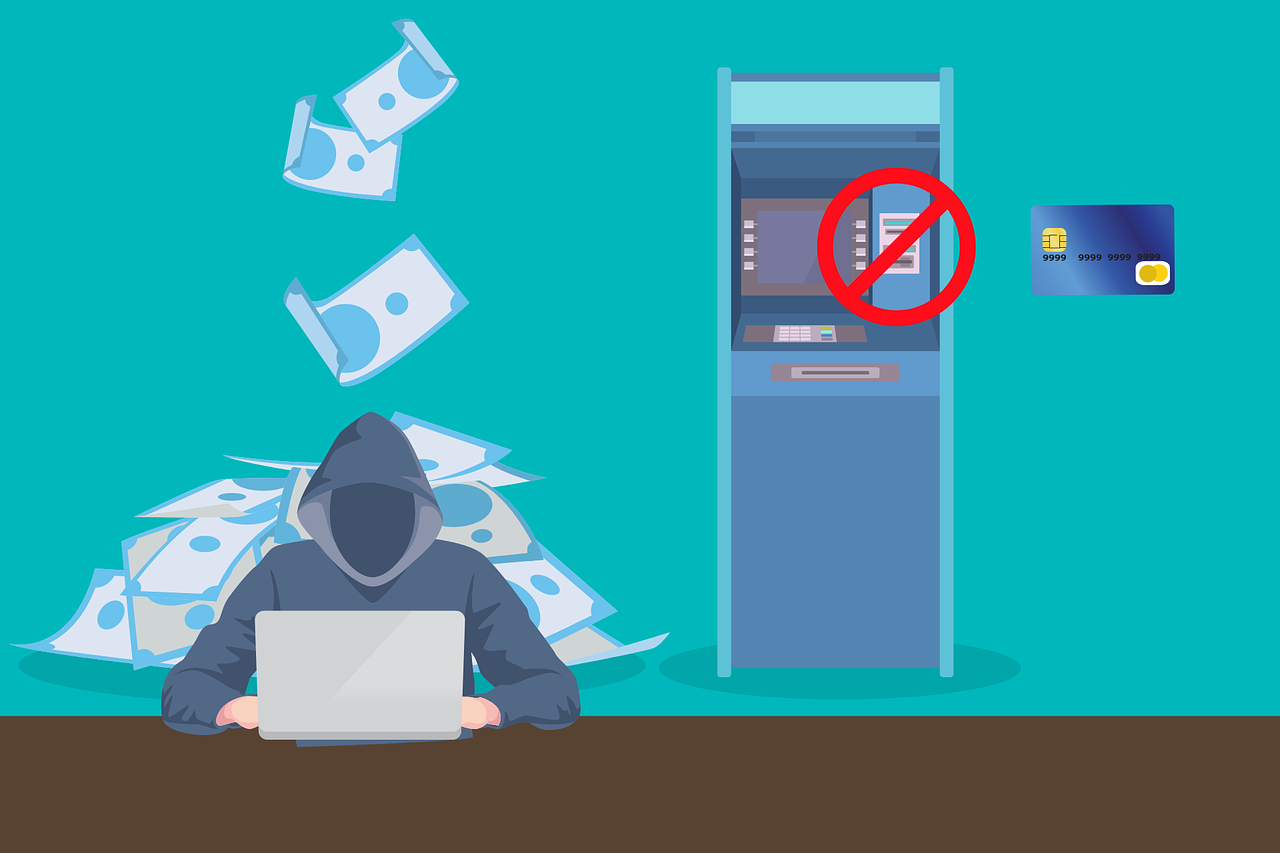
7 Digital Lies Hackers Want You to Believe: Protecting Yourself from Online Deception
Cybersecurity myths don’t just waste your time; they also undermine your security. They put your digital life at risk. Right now, hackers are counting on you to believe outdated security advice that leaves your personal data exposed. Why? Because your misplaced confidence creates their opportunity.
Introduction
Every day, millions of people fall victim to digital lies that hackers want you to believe. These cybersecurity myths are carefully crafted to trick even the most astute and cautious internet users into making potentially dangerous mistakes. Hackers know that fear, urgency, and trust are powerful tools they can use against us.
Understanding these common online scams can help you avoid identity theft, financial loss, and hours of frustration trying to rectify the damage. Let’s explore the most dangerous lies floating around the internet and learn how to spot them before they cause real harm.
Lie #1: “Your Account Will Be Closed Unless You Act Now”

Legitimate Companies Have Internal Verification Systems
Real financial institutions and major companies have sophisticated internal systems that never require customers to verify account information through email links or phone calls. When banks detect suspicious activity, they typically freeze specific transactions rather than entire accounts and provide multiple ways for customers to verify their identities through official channels.
The Deception Behind Urgent Account Warnings
One of the most effective phishing scams hackers use is the fake urgency message. You receive an email that appears to come from your bank, credit card company, or a popular website like Amazon or Netflix. The message says your account will be suspended, closed, or charged extra fees unless you click a link and “verify” your information right away.
These email scams work because they create panic. When people think they might lose access to something important, they often act without thinking carefully. The fake emails look incredibly real, complete with official logos, proper formatting, and professional-sounding language.
How This Scam Works
The process is simple but effective:
- Hackers send thousands of fake emails to random addresses.
- They copy the design and language of legitimate companies.
- They create fake websites that look exactly like real login pages.
- When you enter your username and password, they capture it.
- They use your real login information to access your actual account.
Lie #2: “You’ve Won a Prize – Just Click Here to Claim It”
Another common lie is the fake prize notification. These messages tell you that you’ve won money, gift cards, electronics, or vacation packages. All you have to do is click a link, fill out a form, or download an app to claim your “winnings.”
The truth is that lottery scams and fake prize notifications are designed to steal your personal information or install dangerous software on your device. Real contests and sweepstakes have strict rules about how winners are notified and how prizes are distributed.
Common Prize Scam Tactics
Hackers use several approaches to make their fake prizes seem believable:
- Pop-up advertisements that appear while you’re browsing websites.
- Social media messages claiming you’ve won contests you never entered.
- Text messages with links to claim immediate prizes.
- Email notifications from fake lottery organizations or well-known brands.
Why These Scams Are So Dangerous
When you click on fake prize links or fill out the forms, several bad things can happen:
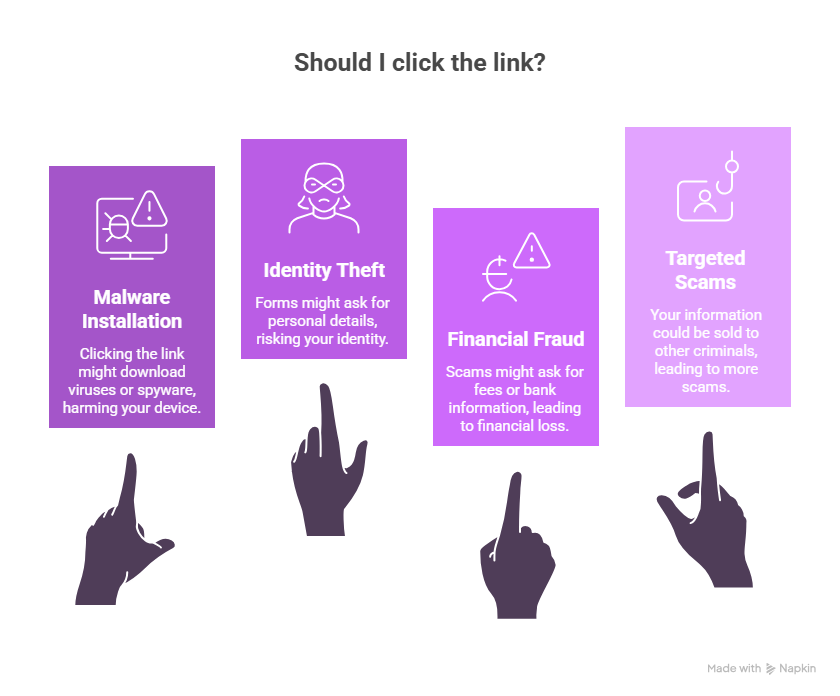
Lie #3: “This Software Will Protect You from All Cyber Threats”
Many people believe that having antivirus software means they’re completely safe from cyber threats. While good security software is important, it’s not a magic shield that blocks every possible danger. This false sense of security is exactly what hackers count on.
Antivirus software can protect against many known threats, but new dangers appear every day. Hackers constantly develop new methods that haven’t yet been discovered. Plus, many successful attacks don’t rely on traditional malware at all – they trick people into giving away information willingly.
The Reality of Cybersecurity
Effective online safety requires multiple layers of protection:
- Updated software on all your devices.
- Strong, unique passwords for every account.
- Careful browsing habits and healthy skepticism.
- Regular backups of important files.
- Two-factor authentication whenever possible.
Why “Complete Protection” Claims Are False
No single security solution can protect against every threat because:
- New malware variants appear faster than software can be updated.
- Social engineering attacks target human psychology, not computer systems.
- Zero-day exploits exploit unknown security weaknesses.
- Insider threats can come from trusted sources.
Lie #4: “We Need to Verify Your Identity for Security Purposes”
One of the most convincing lies hackers want you to believe is the fake identity verification request. Criminals call or email pretending to be from your bank, credit card company, or even government agencies. They claim there’s been suspicious activity on your account and they need to verify your identity “for your protection.”
This social engineering technique works because it flips the normal security relationship. Instead of you being suspicious of them, they make you feel like you need to prove yourself. They create a sense of urgency and authority that can override your natural caution.
How Fake Verification Calls Work
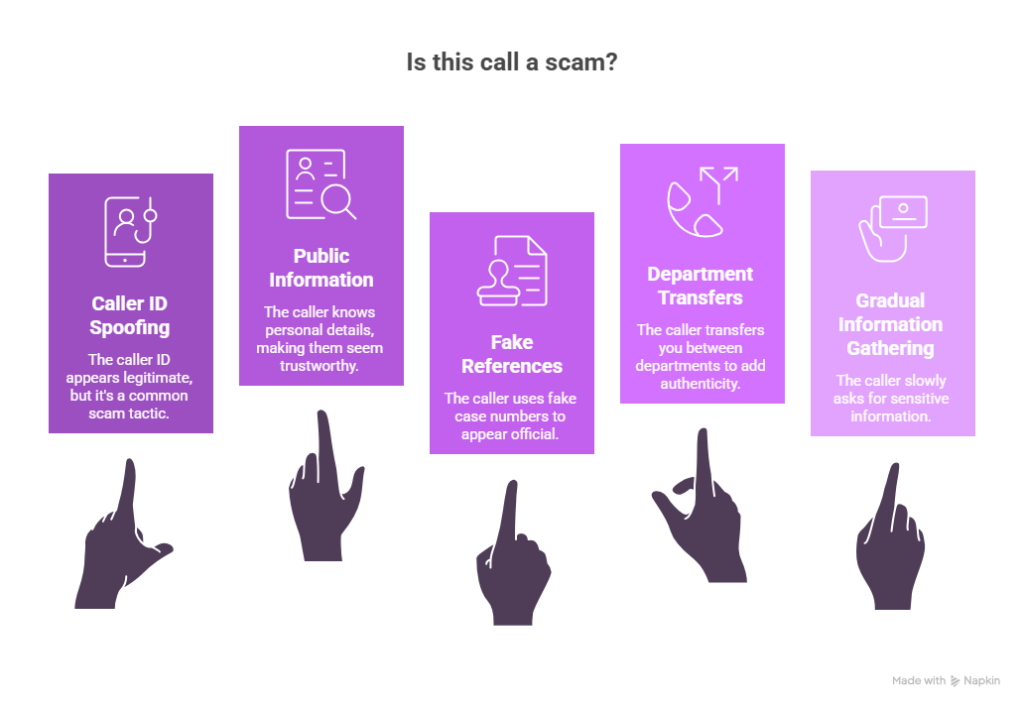
Protecting Yourself from Verification Scams
Real financial institutions and government agencies already have your information. They don’t need you to provide it over the phone or email. Here’s how to handle suspicious verification requests:
- Hang up and call the organization directly using a number from their official website.
- Never give out passwords, PINs, or full account numbers.
- Be suspicious of anyone who contacts you unexpectedly.
- Take time to think before providing any personal information.
- Ask for written confirmation of any urgent account issues.
Lie #5: “Your Computer is Infected – Download This Fix Immediately”
Tech support scams have become incredibly sophisticated and frightening. You might receive a phone call from someone claiming to be from Microsoft, Apple, or your internet provider. They tell you that your computer is infected with viruses and offer to fix the problem remotely.
Other versions of this scam appear as pop-up messages while you’re browsing the internet. These fake warnings claim your computer is infected and provide a phone number to call for “immediate support.”
The Real Danger of Fake Tech Support
When you fall for these scams, the consequences can be severe:
- Remote access: Scammers gain control of your computer.
- Data theft: They can access all your files, photos, and saved passwords.
- Financial fraud: They often charge hundreds of dollars for fake “repairs.”
- Persistent problems: They may install actual malware during their “fix.”
How to Identify Fake Tech Support
Legitimate tech companies don’t make unsolicited calls about computer problems. Here are clear signs of a tech support scam:
- Cold calls claiming your computer is infected.
- Pop-ups that won’t close and demand immediate action.
- Requests for remote access to your computer.
- High-pressure tactics and fear-based language.
- Demands for immediate payment via gift cards or wire transfers.
Lie #6: “Public WiFi is Safe if You Don’t Do Banking”
Public Wi-Fi networks pose significant security risks, even for non-financial activities like browsing, checking email, or using social media, due to vulnerabilities that allow attackers to intercept data, spread malware, or compromise devices.
Norton explains that hackers use MITM attacks to intercept online activity, including login credentials and personal messages, regardless of whether it’s banking. Many public Wi-Fi hotspots are unencrypted networks that transmit data in plain text, making them vulnerable to cybercriminals with the right tools.
The Hidden Dangers of Free WiFi
Many people think that public WiFi security only matters when you’re doing sensitive activities, such as online banking or shopping.
The truth is that WiFi security risks exist anytime you connect to an unsecured network. Hackers can intercept almost any information you send or receive, including emails, social media activity, and automatic app updates that might contain personal data.
Lie #7: “Small Businesses Don’t Get Targeted by Hackers”
One of the most dangerous misconceptions in the digital . Many small business owners think hackers only target large corporations with millions of customers and valuable data.
Small businesses serve as stepping stones to larger corporate networks.
Hackers frequently use small businesses as entry points to access larger corporate clients or partners. Through supply chain attacks, cybercriminals infiltrate small vendors or service providers to reach their ultimate targets. A small accounting firm serving multiple larger clients, or a local IT support company, can provide access to numerous bigger organizations through established trust relationships and network connections.
How to Protect Yourself from These Digital Lies
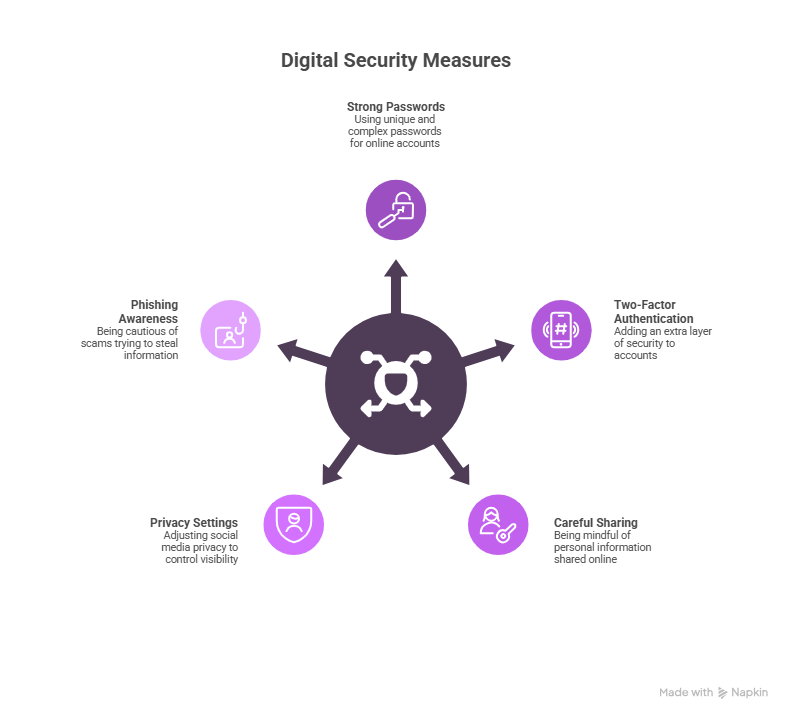
Fake news and false information can spread quickly these days, but there are easy ways to protect yourself. Start by checking who wrote the story and whether they are a reliable source before you believe or share anything online. Check the dates on articles to make sure you are not reading outdated news. If you come across headlines or stories that make you feel very angry or excited, take a moment to pause and think before you react.
Essential Protection Strategies
Developing a Security Mindset
The most effective protection against the digital lies comes from developing healthy scepticism about online communications and offers. When something seems too good to be true, urgent, or creates strong emotional reactions, take a step back and verify before acting.
Questions to Ask Yourself
- Does this message create urgency or fear?
- Am I being asked to provide sensitive information?
- Can I verify this request through an independent source?
- What would happen if I ignored this message?
Conclusion
Understanding these 7 digital lies is essential for staying safe in our connected world. These cybersecurity myths and online scams succeed because they exploit natural human emotions like fear, greed, curiosity, and trust.
Remember that effective internet safety comes from combining good technology tools with smart habits and healthy scepticism. No single security solution can protect you from every threat, but awareness and careful thinking can prevent most attacks.
The key to avoiding these digital lies is taking time to think before you act. When you receive urgent messages, unexpected prizes, or requests for personal information, pause and verify before responding. Trust your instincts when something feels wrong.
Share this information with friends, family, and coworkers to help protect them from these common cyber threats. The more people who understand these tactics, the harder it becomes for hackers to succeed.
Stay informed about new phishing scams and social engineering techniques by following reputable cybersecurity news sources. As technology evolves, so do the methods criminals use to deceive people online.
What experiences have you had with suspicious emails, calls, or messages? Share your stories in the comments to help others recognize and avoid these digital lies.